Temporary Email Generator | DisposalMail.com 📧 Free & Easy to Use
Introduction to Temporary Email Generators
Email has become an essential part of everyday internet use. Whether you want to download a free resource, explore a new website, test an online tool, or sign up for a newsletter, many platforms ask you to provide an email address before you can continue. Although these requests are common, sharing your primary email address with every website can quickly become frustrating. Promotional messages, unwanted newsletters, repeated notifications, and unfamiliar senders can turn an otherwise useful inbox into a crowded mess. This is where a temporary email generator can help. Instead of providing your personal email address every time you try something new, you can use a temporary address for suitable short-term activities and keep your main inbox more organized.Temp Mail – Free Temp Mail Service : DisposalMail 🚀 Try It Online
A temporary email service offers a convenient way to receive messages without immediately connecting every online activity to your everyday inbox. Depending on the provider, you may be able to generate an address, receive a verification message, and check incoming emails through a website. DisposalMail.com is the service highlighted in this article for people looking for a free and easy-to-use temporary email solution. Before using any provider, however, it is important to understand how temporary email works, what it can and cannot protect, and which situations call for a permanent email account. With the right approach, temporary email can be a practical tool for reducing inbox clutter and managing low-risk online registrations.
What Is a Disposable Email and How It Works?
What Is a Temporary Email Address?
A temporary email address is an email address intended for short-term use rather than as your primary, long-term communication account. It can provide a separate destination for messages generated by website registrations, free downloads, newsletters, or other online interactions. Instead of using an address associated with your personal or professional life, you can use a disposable address where the service supports your intended activity. Depending on the provider, incoming messages may appear on a web-based inbox without requiring you to create a traditional email account or configure a separate email application.
The most important thing to understand is that temporary email is not necessarily anonymous, completely private, or secure by default. The service provider may process incoming messages, and the inbox may be accessible to other people if the address or mailbox is not adequately protected. Some temporary addresses expire quickly, while others remain available for a defined period or until the provider removes them. These differences make it important to understand a service's actual features before relying on it. A temporary email address is best viewed as a convenient separation tool for low-risk online activities, not as a replacement for a secure personal email account.
Why Temporary Email Services Are Popular
One major reason temporary email services attract users is the desire to maintain a cleaner inbox. Many websites request an email address even when the user only wants to explore a feature or access a single resource. Over time, those registrations can lead to promotional campaigns, automated notifications, and messages that offer little ongoing value. A temporary address can help separate these short-lived interactions from important conversations, such as work correspondence, account recovery messages, and personal communications. For people who regularly explore unfamiliar websites, this separation can make everyday email management considerably easier.
Another reason is convenience. Users may want to test an online service before deciding whether it deserves a permanent place in their digital routine. A temporary address can make sense when the registration is low-risk and the account does not need to be recovered later. Developers and software testers may also use disposable inboxes to check whether an application's registration or verification flow behaves correctly. Nevertheless, temporary email addresses are not accepted everywhere, and some platforms block known disposable email domains. The practical benefit depends on the website, the email provider's capabilities, and the importance of maintaining access to the account after registration.
What Is DisposalMail.com?
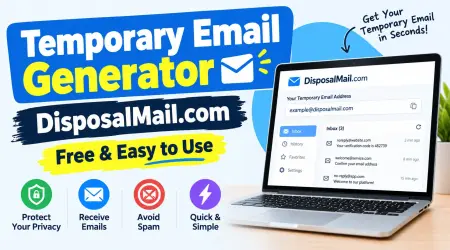
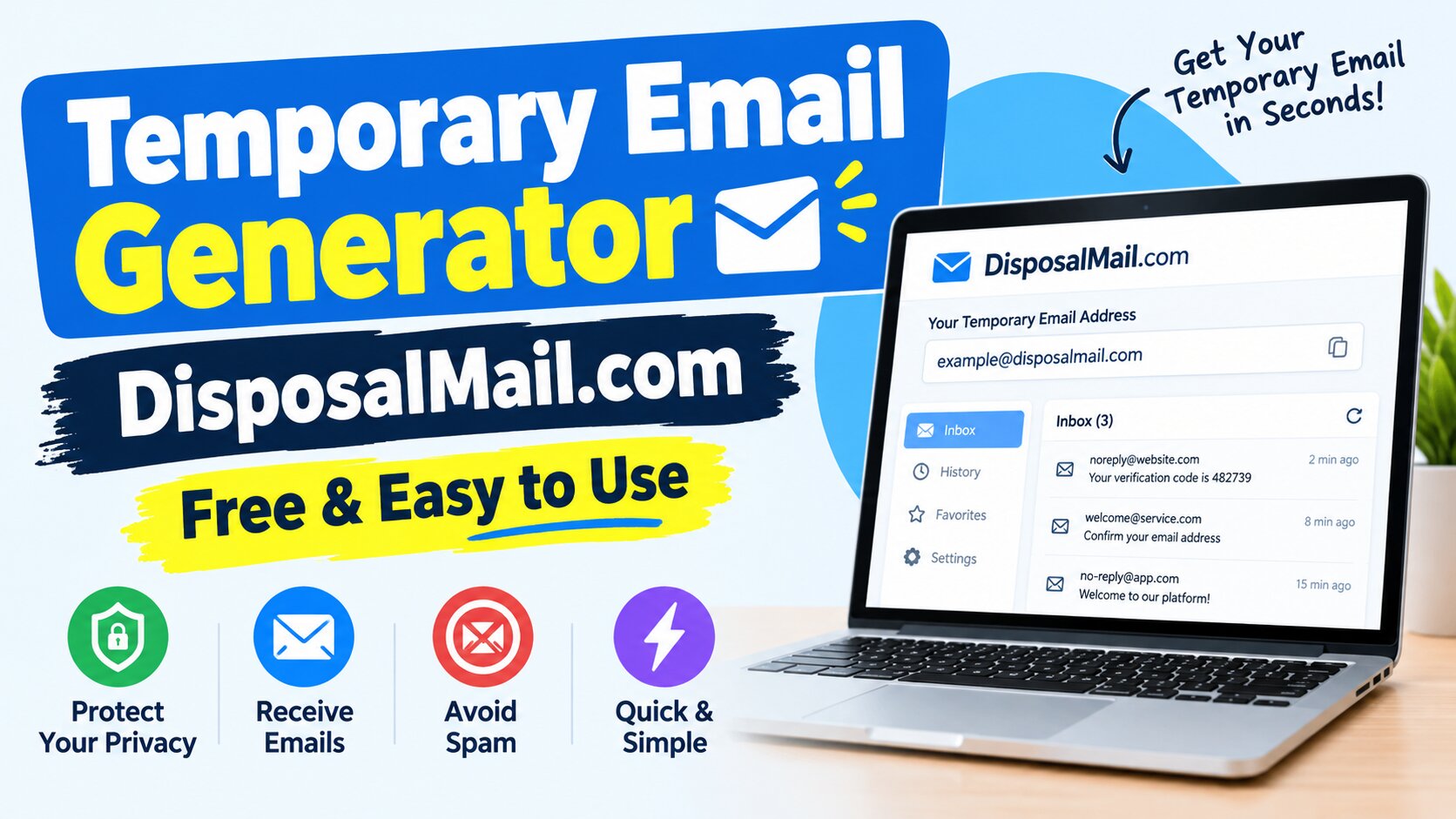
DisposalMail.com is an online service designed to help users create and use temporary email addresses for short-term email reception. Its website presents a free temporary inbox experience that does not require conventional account registration to get started. The interface includes options for changing the email alias and domain, viewing email history, and keeping selected messages in favorites. It also advertises real-time inbox updates and access without a subscription. These features are designed to make temporary email straightforward for users who want to receive a message without setting up another permanent mailbox.
The idea is simple: when you need an email address for an appropriate online task, you can visit the website, use the available temporary inbox, and provide that address to the website requesting it. If an email arrives, you can check the inbox for the relevant message. This can be useful when you want to try a free online utility, receive a confirmation email, or separate a one-time registration from your personal correspondence. However, features and retention policies can change, so you should check the current website for details about address availability, message storage, and inbox expiration before depending on them.
How DisposalMail.com Helps Users
DisposalMail.com is intended to reduce the friction involved in creating an email address for a short-term task. With a traditional email provider, you may need to complete a registration process, choose account credentials, configure security settings, and maintain another mailbox. A temporary email service offers a different approach by focusing on quick access to an inbox for incoming messages. This can be helpful when you only need to receive a confirmation link or test whether a website sends an expected notification. It also helps keep short-term registrations separate from the messages that matter to you every day.
The service's published interface lists several practical features, including address customization, multiple domain choices, email history, and favorites. It also advertises instant inbox updates, which may help users notice incoming messages without repeatedly refreshing the page. These features can be especially convenient for people who perform many low-risk online tasks. Still, a feature advertised by a provider should not be confused with an independent guarantee of privacy or security. Before using any temporary email service, consider whether the message is sensitive, whether you will need it later, and whether the destination website permits disposable addresses.
How to secure your emails and accounts!
Key Benefits of Temporary Email
One of the main benefits of a temporary email generator is reducing unnecessary exposure of your primary email address. Each time you give your main address to a new website, that organization receives another way to contact you. If the website sends frequent promotions, your inbox may become harder to manage. A temporary address gives you another option for low-risk interactions where a lasting email relationship is unnecessary. It can also make it easier to distinguish between messages connected to a particular online activity and important personal correspondence.
Another benefit is convenience. A browser-based temporary inbox can help you complete simple tasks without creating another permanent email account. It may also be useful for software testing, checking email delivery, or experimenting with online tools. The key is to use it selectively. Temporary email does not guarantee that a website will accept the address, that a message will arrive instantly, or that the inbox will remain available indefinitely. Its value comes from helping you manage low-stakes interactions more efficiently, not from replacing every other email option.
How to Use a Temporary Email Generator
Using a temporary email generator is generally straightforward. The basic process involves opening the service, obtaining an available address, entering it into a suitable website's registration form, and checking the temporary inbox for the expected message. With DisposalMail.com, the homepage provides a temporary inbox interface and controls for working with the email address. Because the interface may change over time, the exact labels and placement of its controls can differ. The important thing is to confirm that you are using the correct address and that the message you receive corresponds to the website where you registered.
Step-by-Step Guide to Using DisposalMail.com
Step 1: Visit the official website
Open DisposalMail.com in your browser. Review the page and locate the temporary inbox provided by the service. Use the official domain carefully, particularly if you arrive through a search result or an external link.
Use the address already displayed or the available address controls to choose an alias or domain if supported. Copy the full address accurately. Avoid assuming that an address will remain yours permanently or that another person cannot access a public temporary inbox.
On the website you want to use, enter the temporary address in the email field. Follow the website's terms and registration instructions. If the website rejects disposable addresses, use an appropriate permanent email address rather than attempting to bypass its security controls.
Return to DisposalMail.com and look for the expected email. The message may contain a confirmation link, a verification code, or general information. If nothing arrives, verify the address, allow a little time for delivery, and check whether the sending website supports disposable email.
Step 5: Complete your task and leave the inbox
Use the message only for the intended low-risk activity. Do not rely on the address for future password recovery or essential communications. Avoid opening suspicious links or downloading unexpected attachments, and remember that the temporary inbox may not remain accessible.
Receiving Emails and Verification Codes
Temporary inboxes can receive messages such as registration confirmations, sign-up links, and one-time verification codes when the sending website accepts the address and successfully delivers the email. After submitting a form, return to your temporary inbox and look for a message from the expected service. If a verification code is included, compare it with the instructions on the original website and enter it only on the legitimate page where you initiated the process. A confirmation link should likewise be checked before you click it, especially if the message contains unfamiliar domains or unexpected requests.
Sometimes the message does not appear immediately. First, double-check that you copied the correct address and used it without accidental spaces or missing characters. Next, wait briefly and check the inbox again. The sender may be experiencing delays, the message may have been rejected, or the website may block disposable email domains. If the message never arrives, use another permitted email method. Never send your password, payment details, or sensitive personal documents to an unfamiliar service simply because a message claims they are needed to complete verification.
6 Mistakes to Avoid in Work Emails
Main Features of Temporary Email Services
Temporary email services focus on making short-term email reception convenient. Depending on the provider, features may include automatically available inboxes, address generation, selectable domains, message previews, inbox refreshes, and tools for organizing incoming messages. DisposalMail.com advertises several of these capabilities, including email alias and domain controls, email history, favorites, and real-time inbox updates. These options can be useful for people who want to handle a brief registration without adding another long-term account to their digital routine.
Not every temporary email provider offers the same experience. Some retain messages for a limited time, while others have different inbox-management arrangements. Some allow users to choose from several domains, but a website may block one or more of those domains. Attachment support, message storage, and the availability of older emails also vary. Therefore, it is wise to evaluate a service based on the particular task you need to complete instead of assuming all disposable email tools have identical features.
Privacy, Convenience, and Spam Reduction
A temporary email address can help reduce how often you share your primary email with unfamiliar websites. If you use a disposable address for a low-risk registration, marketing messages associated with that activity may remain separate from your everyday correspondence. This is a useful way to manage exposure, particularly when you want to try a service without committing to an ongoing relationship. However, the benefit is limited to separating your email address and messages. It does not automatically block browser tracking, hide your IP address, encrypt every message, or prevent the website you visit from collecting other information about you.
The U.S. Federal Trade Commission has explained that information can remain identifying even when it is transformed or presented in a less obvious form. This broader privacy principle is a useful reminder that no single tool guarantees anonymity.
For better privacy, share only the information necessary for the task, review a service's privacy policy, avoid sensitive messages in public inboxes, and use secure permanent email accounts for important communications. Temporary email is one layer in a sensible privacy strategy, not the entire strategy.
Temporary Email vs. Permanent Email
Temporary and permanent email accounts serve different purposes. A temporary address is intended for short-term activities, while a permanent mailbox is designed to support continuing communication and account recovery. Choosing between them depends on the value of the account, the sensitivity of its messages, and whether you will need access in the future.
| Feature | Temporary email | Permanent email |
|---|---|---|
| Main purpose | Short-term, low-risk tasks | Ongoing communication |
| Setup | Often quick and registration-free | Usually requires account setup |
| Inbox lifespan | May be limited or unpredictable | Intended for continued use |
| Account recovery | Often unreliable | Usually supports recovery options |
| Privacy benefits | Can limit exposure of your primary address | Depends on provider and settings |
| Sensitive information | Generally unsuitable | Better when properly secured |
| Long-term messages | Not dependable | Designed for ongoing access |
| Website acceptance | Some sites block disposable domains | Generally accepted more widely |
A useful rule is to think about the consequences of losing access. If you would not care about losing the registration or its messages after a short period, a temporary email address may be appropriate. If losing the account could affect your finances, job, studies, business, personal records, or access to other services, choose a permanent address and secure it properly. This simple distinction can prevent many avoidable problems.
Who Can Benefit from Temporary Email?
Temporary email can be useful for a wide range of people, from casual internet users to software developers. The best use cases are those where you need to receive a message but do not need a permanent communication channel. Think about how often you explore a new website, download a free guide, or try an unfamiliar online utility. In some of these situations, a temporary address can make the process more convenient without adding another long-term mailbox to maintain. The important part is matching the tool to the task.
Students, Freelancers, and Everyday Internet Users
Students often encounter websites that request email addresses before allowing access to study resources, online tools, or newsletters. A temporary email address may be suitable for a low-risk resource when the student does not need continued access or future account recovery. Freelancers may also find temporary email useful when exploring unfamiliar platforms, testing a service before adopting it, or receiving a one-time notification. It can help separate preliminary research from ongoing client communication, leaving a professional inbox available for proposals, invoices, and project updates.
Everyday internet users can benefit from the same approach when experimenting with new services or signing up for nonessential promotions. For example, suppose you want to explore a website that offers a free checklist but do not want to receive promotional emails indefinitely. A temporary address may be an appropriate choice if the website allows it and the download does not require a lasting account. On the other hand, students should use permanent email for school accounts, exam registrations, scholarship applications, and important academic records. Freelancers should keep client accounts and business communications tied to reliable addresses they control.
Developers, Testers, and Digital Marketers
Developers and software testers frequently need to check whether an application handles email correctly. During testing, they may need to verify registration messages, password-reset flows in a test environment, or notification delivery. A temporary inbox can be helpful for simple manual tests because it provides an address for receiving messages without creating numerous permanent accounts. For larger or automated testing projects, however, a dedicated email testing platform or controlled test mailbox may offer better message inspection, repeatability, and access management.
Digital marketers may also use temporary email to explore registration workflows, check how a newsletter subscription behaves, or test a nonproduction campaign. However, marketers should distinguish between legitimate testing and actual audience development. Disposable email addresses are not a substitute for consent-based subscriber lists, accurate analytics, or reliable customer records. If you manage a business, you should use authorized test accounts and established email-testing processes rather than relying on public inboxes for customer data. That approach helps keep testing separate from real customer communication.
Free Random Email Generator Online
Security, Privacy, and Limitations
Temporary email offers convenience, but understanding its limitations is essential. A disposable address can keep your main email address out of some registration forms, yet it does not automatically protect the messages inside the temporary inbox. Depending on how the service operates, other people may be able to access a public mailbox if they know its address. You may also lose access when the address expires or when the service changes its retention arrangements. These risks are especially important when messages contain verification codes, private information, or links that could grant access to another account.
Before using a temporary email generator, check whether the provider explains its data practices, inbox access model, and message-retention policy. Do not assume that claims such as "free," "anonymous," or "secure" mean the same thing. A service may be convenient without being suitable for confidential information. Similarly, receiving an email successfully does not mean the message is trustworthy. A phishing email can arrive in a temporary inbox just as it can arrive in a permanent one.
What You Should Never Use Temporary Email For
Avoid using a disposable address for banking, payment services, government portals, medical accounts, employment applications, essential business accounts, or other services where you may need reliable access over time. These accounts often depend on email for security alerts, password resets, identity verification, and important notices. If your temporary inbox disappears, recovering the account may become difficult or impossible. The inconvenience of maintaining a permanent email account is small compared with the consequences of losing access to something important.
You should also avoid using temporary email to impersonate someone, evade legitimate security measures, violate a website's terms, or create accounts for fraudulent purposes. Some platforms prohibit disposable addresses because they use email to manage abuse and maintain account integrity. Respect those restrictions and choose a permitted alternative when necessary. Temporary email is most useful when it supports legitimate, low-risk activity—not when it is used to bypass rules or conceal harmful behavior.
Best Practices for Safer Email Use
You can get more value from temporary email by following a few straightforward practices. First, use it only when you have a clear reason to avoid sharing your primary address. Second, treat the inbox as potentially accessible to others unless the provider clearly explains the access controls. Third, avoid sharing confidential information or storing important documents there. Finally, review unexpected messages carefully and do not click unfamiliar links or download suspicious attachments simply because you are using a disposable inbox.
It is also worth remembering that email privacy and online anonymity are not the same thing. A website may still collect information about your browser, device, activity, or other interactions. The FTC's guidance on protecting personal information emphasizes the importance of appropriate security practices and safeguards when information is collected and handled.
For everyday users, the practical lesson is simple: share less information, use unique passwords for important accounts, enable multifactor authentication where available, and maintain a secure permanent email address for recovery and essential communication.
Common Temporary Email Problems and Solutions
Even a straightforward temporary email service can occasionally encounter problems. Messages may arrive late, a website may reject the address, or an inbox may no longer be available when you return to it. These situations do not necessarily mean the service is broken. Email delivery depends on the sender, the recipient's mail infrastructure, filtering rules, and the policies of the website where you are registering. Understanding the likely cause can save time and help you decide whether a temporary address remains suitable.
| Common problem | Possible reason | What to do |
|---|---|---|
| Verification email does not arrive | Delivery delay or incorrect address | Recheck the address and wait briefly |
| Website rejects the address | Disposable domain is blocked | Use an accepted permanent address |
| Verification code has expired | Codes often have short validity periods | Request a new code through the official website |
| Old messages are missing | Inbox or message retention may be limited | Avoid relying on temporary storage for important messages |
| Email link looks suspicious | Possible phishing attempt | Verify the sender and destination before interacting |
| Address becomes unavailable | Service or address lifespan limitations | Use a permanent mailbox for accounts requiring ongoing access |
If a message fails to arrive, start by confirming that the address was copied correctly. Check the sending website's instructions and look for an option to resend the email. If the address is rejected, do not waste time repeatedly submitting it; use a permitted alternative. If an inbox is no longer available, contact the relevant website through its official support channel if the registration matters. Prevention is usually easier than recovery, which is why temporary email should be reserved for tasks where losing the inbox will not create a serious problem.
Top Ten Formal Business Email Template
Conclusion
A temporary email generator is a practical option for people who want to keep their primary inbox organized while exploring websites, trying online tools, or receiving messages for short-term activities. By providing a separate email destination, disposable email services can reduce unnecessary exposure of your everyday address and make certain online tasks more convenient. DisposalMail.com presents a free temporary email experience with features such as address controls, inbox history, favorites, and real-time message updates. These capabilities make it worth considering for appropriate low-risk tasks, provided you review the current service details before using it.
The smartest approach is to understand both the benefits and the boundaries. Temporary email is not a replacement for a secure permanent mailbox, a guarantee of anonymity, or a reliable recovery method for important accounts. Use it for suitable one-time activities, respect the rules of the websites you visit, and keep sensitive communications in accounts that you control. If you want a convenient way to separate low-priority registrations from your personal correspondence, visit DisposalMail.com and explore its current features to see whether they fit your needs.
Frequently Asked Questions (FAQs)
Q1. What is a temporary email generator?
A temporary email generator is an online tool that provides an email address for short-term use. It allows users to receive messages, such as registration confirmations or verification codes, without necessarily sharing their primary email address. Depending on the service, the address and inbox may remain available for a limited or variable period.
Q2. Is DisposalMail.com free to use?
DisposalMail.com currently advertises a free temporary email service without a subscription requirement for its basic experience. Its website also lists features such as email alias controls, multiple domains, email history, and favorites. Check the official website for current details because service features and policies may change.
Q3. Can I receive verification codes with DisposalMail.com?
You may be able to receive verification codes and confirmation links when the sending website accepts the temporary address and delivers the message successfully. Some websites block disposable email domains, so delivery is not guaranteed. Use a permanent address for accounts that require reliable recovery or ongoing access.
Q4. Is temporary email safe for personal information?
Temporary email can reduce the need to share your primary address, but it should not be treated as a secure place for sensitive information. Depending on the service, inbox access and message retention may create privacy risks. Avoid using public or temporary inboxes for passwords, financial information, identity documents, or confidential communications. alternative
Q5. How long does a temporary email address last?
The lifespan depends on the provider and its current policies. Some disposable addresses expire quickly, while others may remain available for longer. Do not assume that an address or its messages will be preserved indefinitely. If you need reliable access to an account or its emails, use a permanent mailbox.
#TemporaryEmailGenerator #DisposalMail #TemporaryEmail #TempMail #DisposableEmail #EmailPrivacy #OnlineTools #TemporaryInbox #PrivacyTools #FreeEmailTools
temporary email generator, temporary email generator free, temporary email generator online, DisposalMail, DisposalMail.com, temporary email, temp mail, temp mail generator, disposable email, disposable email address, temporary email address, free temporary email, free temp mail, online temporary email, temporary inbox, disposable email generator, temporary mail service, email privacy tools, protect your inbox, temporary email service, email generator online, anonymous email tools, temporary email for testing, email testing tool, website testing tools, online privacy tools, avoid spam emails, short term email address, temporary email website, temp inbox online, free online email tools, temporary email platform, temporary email tool, temporary email service online, DisposalMail temporary email